BringPass
C0
Reuse the existing credential
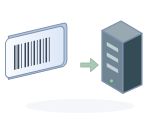
Select an authorised issuer code or compatible physical card. The provider need not know BringPass.
No native awarenessStart with what the organisation can already enrol. Move to richer authentication only when the workflow and infrastructure are ready.
Select an authorised issuer code or compatible physical card. The provider need not know BringPass.
No native awarenessMatch the approved value format or existing application. Enrol through the normal workflow.
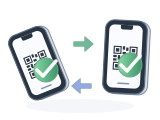
Provider software unchangedBoth peers implement authenticated proof and lifecycle messages. No mandatory web API.
Both sides implementA missing medium, key or enrolment option is a real boundary. Ask for cooperation or use other media.
Not a silent fallbackTwo questions narrow the starting point. This is a rules-based guide, not a device certification.
Test the scanner, exact symbology, field length, leading zeros, uniqueness and the enrolment policy. A static value remains a bearer credential.
“Do you already have a compatible credential?” becomes part of enrolment.
Staff locate or create the local account and apply the existing identity checks.
Scan or tap a supported medium. Check the format and enforce uniqueness.
Assign it, test a real transaction, and record what was enrolled.
C0/C1 need no provider software change only when the existing enrolment accepts the medium and value. C2 native proof requires implementation on both sides.
The organisation’s existing account remains the starting point—not an unverified QR code.
Use an authenticated account session, with step-up verification when required.
Legacy: use the portal’s existing add-credential function, if available. Native: bind the registration challenge and new-key proof to the verified account session.
Show the account and credential; confirm the link, notify the user, and test.
No software change only if the portal already supports this enrolment. Otherwise use the service desk or add integration. An unverified code must never choose an arbitrary account.
Device-specific keys make selective revocation possible in the native design.
Use an already enrolled alternative or the provider’s verified recovery process.
Disable the lost credential at every affected provider, including queued offline readers.
Bind a new credential, test access and issue confirmation through a trusted channel.
Shared legacy codes or copied keys cannot distinguish lost and retained copies. Replace all exposed copies; offline revocation is not instant.
A planned replacement should be quieter than a lost-device incident.
Authorise a separate new key or compatible identifier using an existing trusted session.
Verify that the new credential reaches the same local relationship and permissions.
Remove it after a successful test; wipe or retire the old carrier securely.
Parallel operation requires multi-credential support. A single-value backend needs a controlled switch and tested rollback.
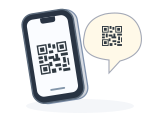
Distinguish carrying an existing code differently from enrolling a new, user-owned credential.
Ask whether authorised re-display or a new external value is permitted and technically supported.
Re-display an allowed optical code, or register a distinct compatible medium through staff.
Keep the old credential during testing where possible, then retire it deliberately.
Re-displaying the same value is consolidation, not cryptographic ownership. Revoking that value also revokes every copy. No protected-card cloning is proposed.
A forgotten device should not force a permanent replacement.
Staff confirm the account and why a temporary credential is needed.
Issue time-limited access using the provider’s supported controls.
Revoke or expire it and retain the appropriate audit record.
Expiry must be enforced by the backend or reader, not merely printed on a card or shown on a phone.
A smartphone cannot be the price of being a member.
Use an accepted passive card, a printed code where suitable, or the provider’s own token.
Staff follow the same account-linking checks without requiring an app account.
Explain lost-card handling, accessible alternatives and the limits of the chosen medium.
A printed code cannot select different provider identities by itself. The future display token is not an available alternative today.
Withdraw this credential relationship without automatically closing the provider’s account.
Name the provider relationship and all BringPass credentials to withdraw. Verify account management authority.
Legacy: use existing desk or portal controls. Native: complete RETRACT and receive a signed result.
Remove local profiles after confirmation. Keep a pending note if remote state is unknown.
This is not contract cancellation or GDPR erasure. Removing a profile locally cannot revoke a lost card or every copy of a shared legacy code.
Credential lifecycle and record-retention policy are separate decisions.
Apply the provider’s normal process for ending or suspending the relationship.
Remove access authorisations and synchronise reader caches as required.
Process applicable access, deletion or retention duties using an authenticated channel.
Deleting an entry from a wallet does not revoke provider-side access or erase the provider’s database.
Check whether the backend supports many credentials per account. If it has one card-number field, add-and-test-before-revoke may be impossible without integration. Plan a cutover window, temporary access and rollback.
Never change a database primary key just to change a card. Link or map the presented credential to a stable local account.
Download the process notes